

Product
IntelliStudio

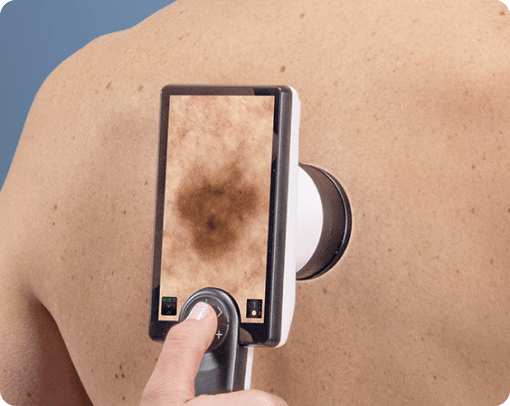
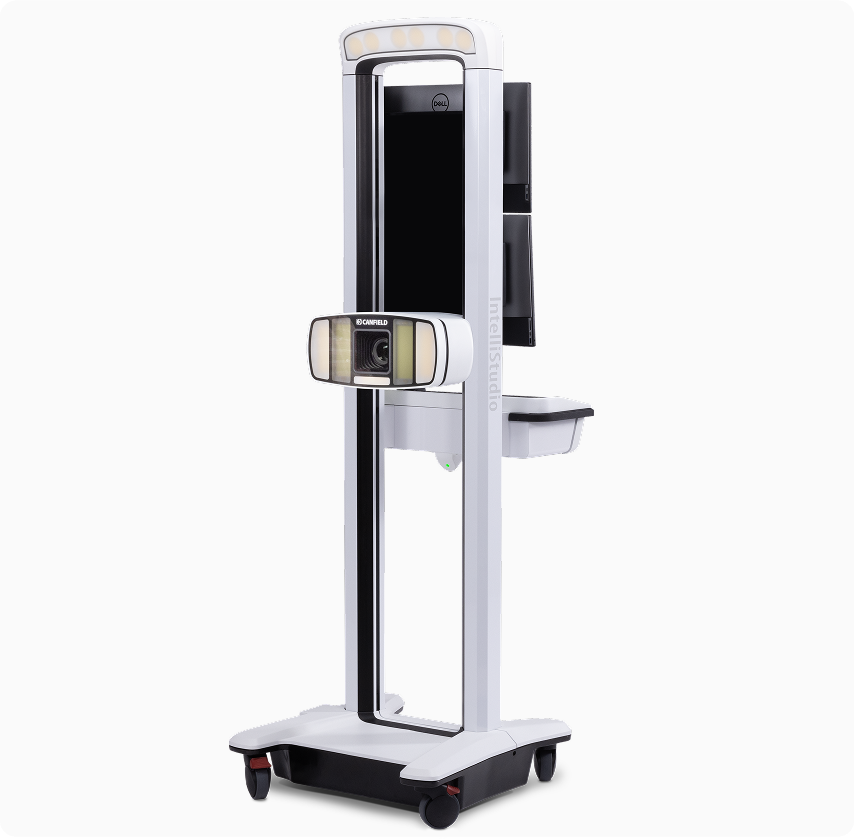
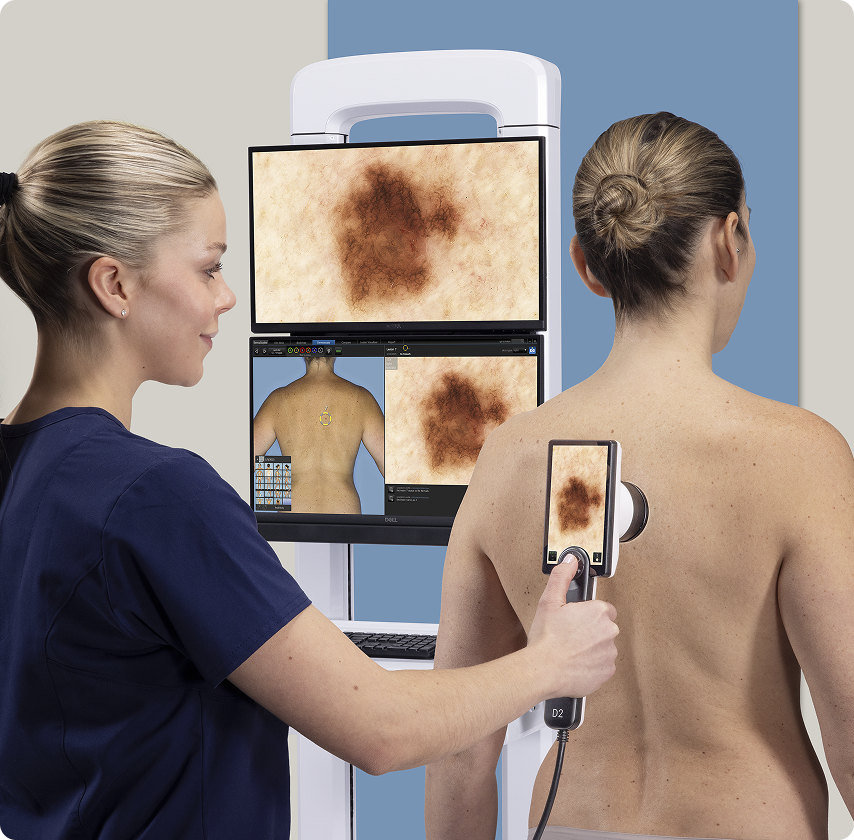
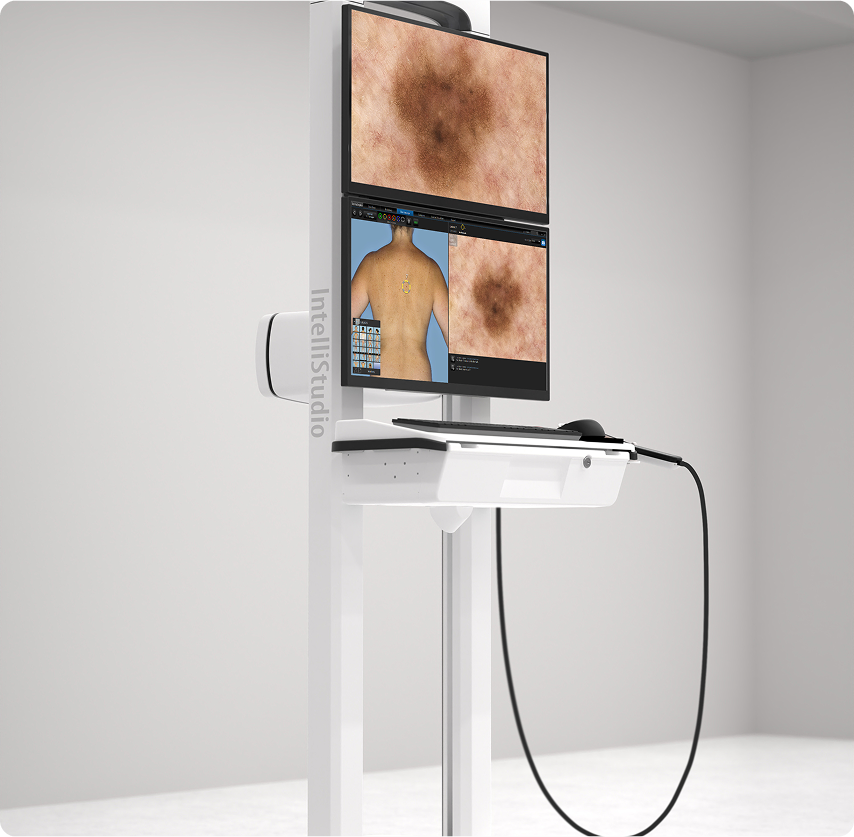
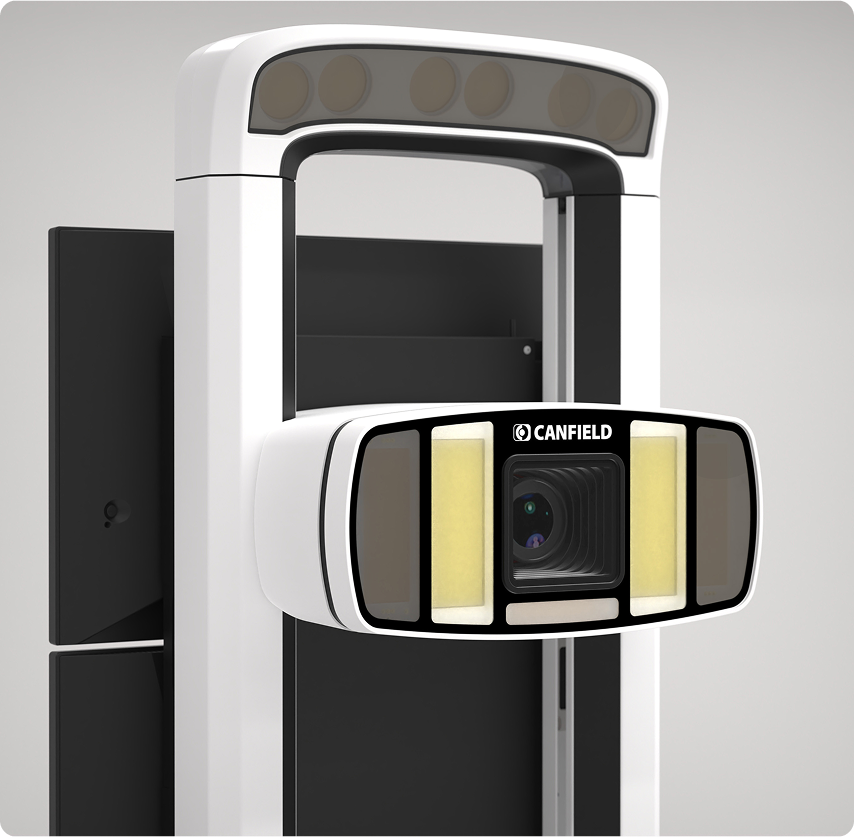
The new 3rd generation IntelliStudio sets the highest standard for image quality that rivals dermoscopy.
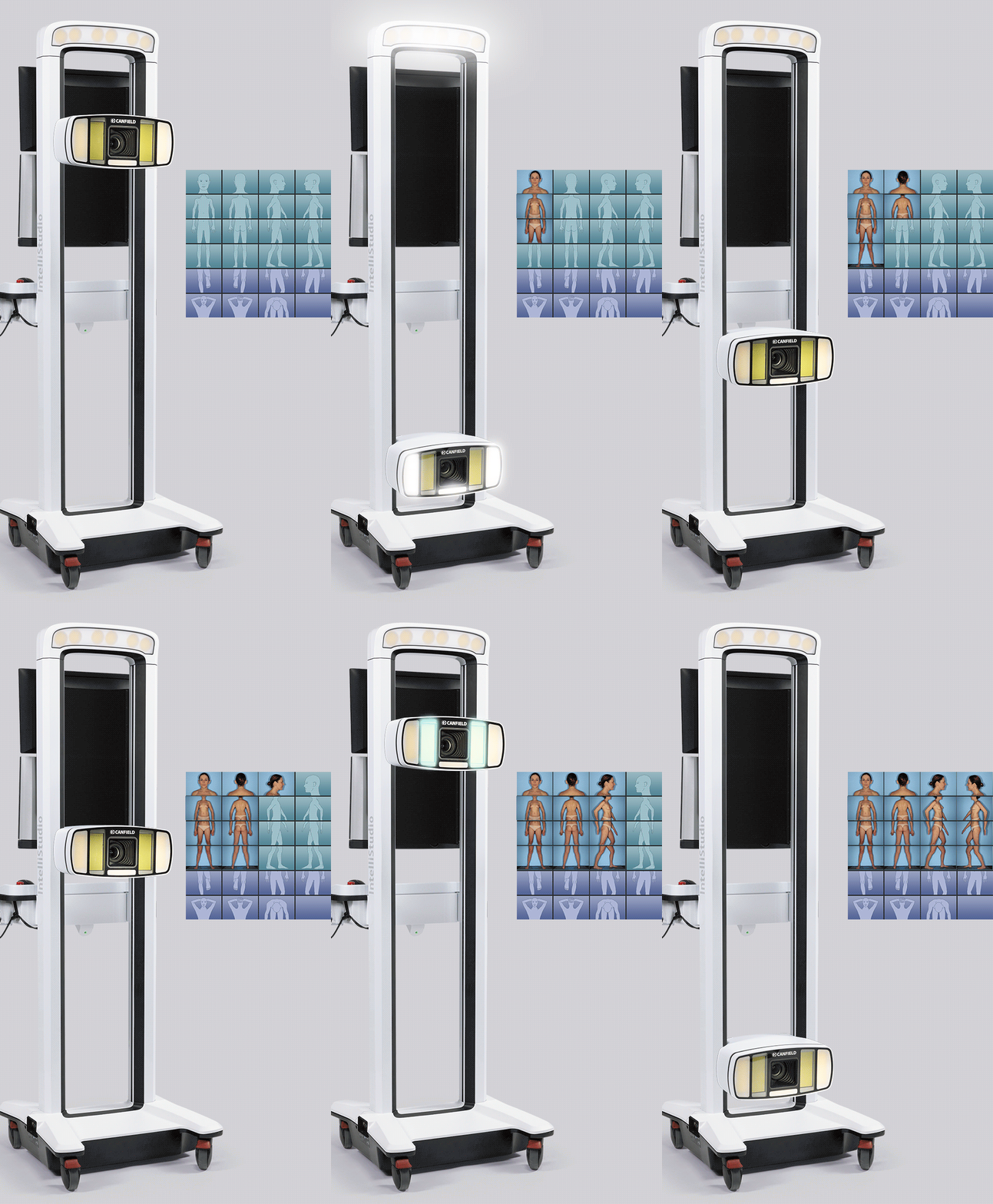
Image 1
IntelliStudio

The new 3rd generation IntelliStudio sets the highest standard for image quality that rivals dermoscopy.

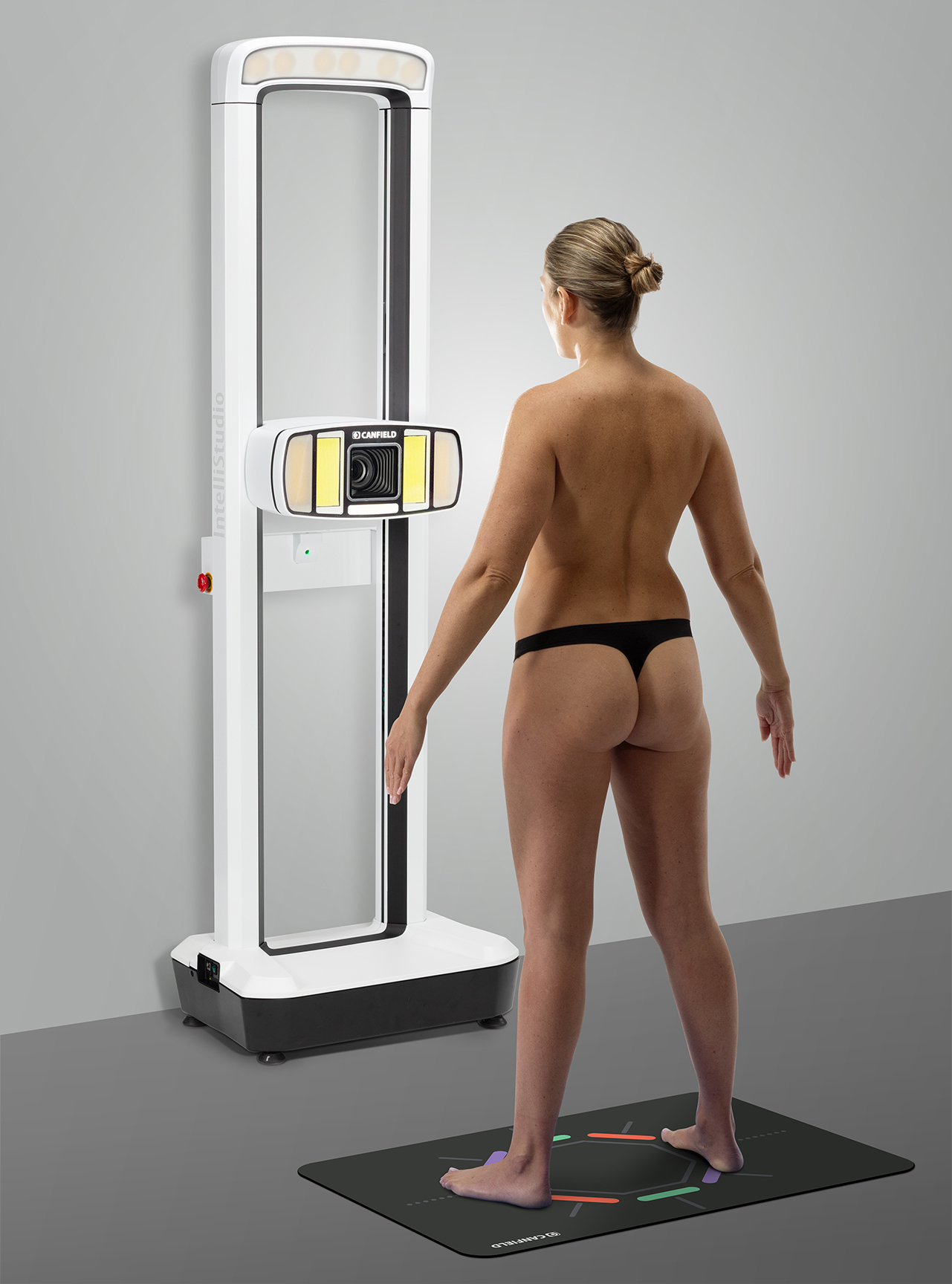
Motorized programmable lift ensures repeatable camera positions and lighting.

Standardized templates control camera settings and guide patient poses.

Automated sequencing guides the user through captures - no special photography skills needed.
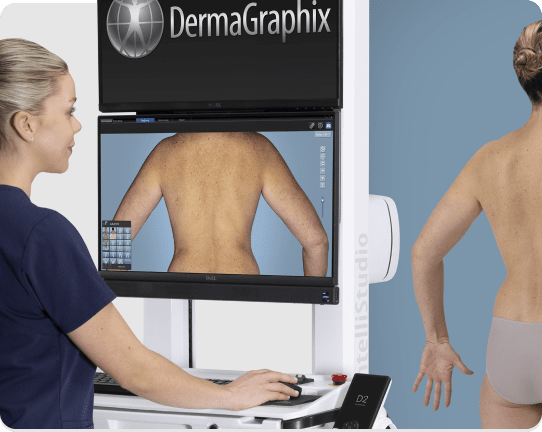
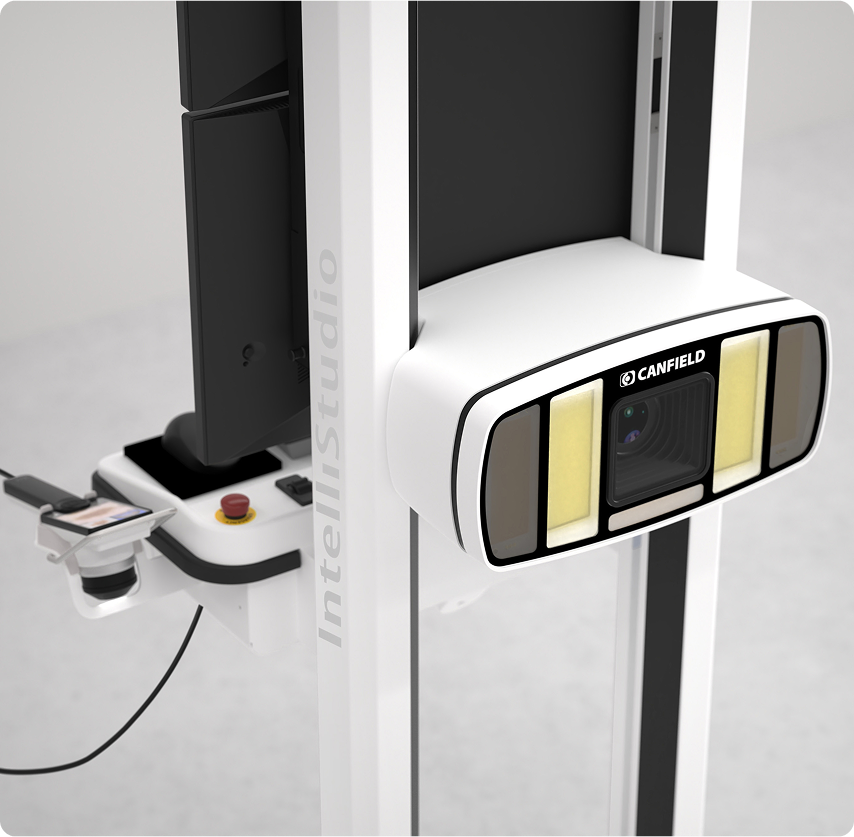
Non-polarized and cross-polarized lighting reveals skin features. Both lighting modes are captured sequentially in less than a second, enabling perfect registration.

Image 1

DermaGraphix capture templates control camera settings and guide patient poses, while the motorized programmable lift ensures repeatable camera positions and lighting for consistent whole body photography with minimal staff training.

DERMOSCOPY REIMAGINED

Achieve consistent and standardized imaging, ensuring reliable documentation and precision in every capture.

  • Unrivaled image quality
  • Most efficient workflow
  • Sequential cross-polarized, non-polarized and UV capture
  • Capture both clinical and dermoscopy images
  • Award winning design
Image 1

IntelliStudio

What Our

Tech Specs &

IntelliStudio

System Power
  • 100-120V AC, 50/60 Hz, 10.0A or
  • 220-240V AC, 50/60 Hz, 10.0A
  • Class I Laser
    • IEC 60825-1:2014
    • Max output of laser radiation is less than 10mW
Capture Computer
  • Configured and supplied by Canfield. Computers from other suppliers are not supported.
Software
  • IntelliStudio® Capture Module
  • DermaGraphix® Module
Windows Computer Minimum Requirements
  • Windows hardware: 2023 or newer
  • Operating system
    • Windows 11 Professional 64 bit
    • NOT SUPPORTED: Windows Home Edition
  • Processor: 14th Gen (or higher) Intel Core i7/Ultra 7, or AMD equivalent (14th Gen or higher Intel Core i9/Ultra 9, or AMD equivalent recommended)
  • System memory (RAM): 32 GB or higher recommended
  • Minimum 5 GB available disk space for installing application
  • Minimum 500 GB available disk space (1TB or higher recommended for capturing to local database)
  • USB Ports: 1 USB 3.0 (or higher) port required for D2 Scope
  • Graphics card
    • 4 GB dedicated memory minimum (or higher)
    • Dedicated nVidia or AMD cards (nVidia Highly Recommended)
    • Driver: latest available
    • 3.0 or later Open GL
  • Display: 1920 x 1080 (FHD) minimum; 3840 x 2400 (4K) maximum (max 200% scaling)
  • 1 Gbps wired LAN connectivity (Wi-Fi not supported)
Windows Server Minimum Requirements
  • Windows Server 2022 64-bit or 2025 64-bit
  • Microsoft SQL Server 2019 or 2022 (Express edition is installed by default)
  • 2023 or newer processor
  • 16GB or higher memory
  • 1 Gbps wired LAN connectivity (Wi-Fi not supported)
  • 1 Terabyte HDD recommended. Space required is dependent upon patient volume and settings.
  • RAID 1 - NOT SUPPORTED
  • Regularly scheduled backups are highly recommended
Mac Computer Minimum Requirements (Consultation only – not supplied)
  • Mac hardware: 2023 or newer
  • Operating system: macOS Tahoe and Golden Gate
  • Processor: Apple M3 (or higher) – Intel Processors not supported
  • System memory (RAM): 16 GB (or higher)
  • Minimum 4 GB available disk space for installing the application
  • Minimum 500 GB available disk space (1TB or higher recommended for capturing to local database)
  • Graphics card: Apple M
  • USB Ports: 1 USB 3.0 (or higher) port required for D2 Scope
  • Display: Effective Resolution of 1920 x 1080 or greater
  • Optional: 1 Gbps wired LAN connectivity (remote DB access not supported over Wi-Fi)
Mac File Server Minimum Requirements (Not Supplied)
  • Windows or Mac based server that meets Minimum Computer Recommendation
  • Windows OS:
    • Windows Server 2022 64-bit or 2025 64-bit
    • Microsoft SQL Server 2019 or 2022 (Express edition is installed by default)
  • macOS:
    • MySQL Server 8.0.41 or higher
  • 1 Gbps wired LAN connectivity (Remote Database access over Wi-Fi not supported)
  • 16GB Memory (or higher)
  • 1 Terabyte HDD recommended. Space required is dependent upon patient volume, camera used, and settings.
  • RAID 1 - NOT SUPPORTED
  • Regularly scheduled backups are highly recommended
Notes
  • Server class OS not supported as a workstation
  • WAN is supported only with 1/5/10Gbps connectivity.
  • Workstation based cloud licensing
  • Space required dependent upon patient volume
    • XP and NP bodymap photos with ten D2 dermoscopy images (XP, NP, UV): 3 GB; 333 sessions per TB
    • XP (only) bodymap photos with ten D2 dermoscopy images (XP, NP, UV): 2.3GB; 445 sessions per TB
  • A minimum of 1 Gbps network speed is required to access the storage location of the live copy of the data (10 Gbps recommended). Wi-Fi is not supported for workstation connectivity
  • Maximum 25ms latency required to the storage location of the live copy of the data
  • Anti-virus exceptions must be put in place to avoid any latency
  • SSD Storage is highly recommended
  • Cloud storage (Azure, AWS, Google Cloud, Etc.) is not supported for storing data, but can be used for backup purposes
  • RAID 1 is not supported
  • The Machines/PC/Server where the Canfield services are running must have a static IP address
  • In a networked environment, the services(s) need to run with a dedicated service account where the password does not expire, and it has access to the DB and the images folder

IntelliStudio Stationary

Stationary IntelliStudio
  • Includes All-in-One PC for easy Desktop or cart placement
  • Adjustable feet to level with any floor
  • Real panel with anchoring points
  • Standardized templates streamline acquiring consistent and repeatable image sets.
  • Capture templates guide patient poses and control camera orientation, zoom, and flashes for friction-free studio photography.
  • Canfield's MatchPose® assures follow-up images are perfectly registered to baseline.
Room Recommendations
  • Please note – Ceiling height must be greater than 7ft (2.13m)
  • 1Gigabit/second connectivity or higher (highly recommended)
  • To achieve the best and most consistent results, the wall in front of which the patient will stand should be painted prior to installation and training. This is only recommended, not necessary.
  • Recommended Paint Color: Home Depot Behr 550D-5 Ocean Cruise – Flat Finish
  • No additional studio lights are required. Standard room lighting is sufficient.
  • The ethernet port is located on the left side of the machine along with the systems main power cable. It is highly recommended to have data and power outlets for the PC to the left of the intended space.
  • The PC is powered through the IntelliStudio system. External power is only needed to the IntelliStudio and an optional added dermatoscope.
Windows Computer Minimum Requirements
  • Windows hardware: 2023 or newer
  • Operating system
    • Windows 11 Professional 64 bit
    • NOT SUPPORTED: Windows Home Edition
  • Processor: 14th Gen (or higher) Intel Core i7/Ultra 7, or AMD equivalent (14th Gen or higher Intel Core i9/Ultra 9, or AMD equivalent recommended)
  • System memory (RAM): 32 GB or higher recommended
  • Minimum 5 GB available disk space for installing application
  • Minimum 500 GB available disk space (1TB or higher recommended for capturing to local database)
  • USB Ports: 1 USB 3.0 (or higher) port required for D2 Scope
  • Graphics card
    • 4 GB dedicated memory minimum (or higher)
    • Dedicated nVidia or AMD cards (nVidia Highly Recommended)
    • Driver: latest available
    • 3.0 or later Open GL
  • Display: 1920 x 1080 (FHD) minimum; 3840 x 2400 (4K) maximum (max 200% scaling)
  • 1 Gbps wired LAN connectivity (Wi-Fi not supported)
Windows Server Minimum Requirements
  • Windows Server 2022 64-bit or 2025 64-bit
  • Microsoft SQL Server 2019 or 2022 (Express edition is installed by default)
  • 2023 or newer processor
  • 16GB or higher memory
  • 1 Gbps wired LAN connectivity (Wi-Fi not supported)
  • 1 Terabyte HDD recommended. Space required is dependent upon patient volume and settings.
  • RAID 1 - NOT SUPPORTED
  • Regularly scheduled backups are highly recommended
Mac Computer Minimum Requirements (Consultation only – not supplied)
  • Mac hardware: 2023 or newer
  • Operating system: macOS Tahoe and Golden Gate
  • Processor: Apple M3 (or higher) – Intel Processors not supported
  • System memory (RAM): 16 GB (or higher)
  • Minimum 4 GB available disk space for installing the application
  • Minimum 500 GB available disk space (1TB or higher recommended for capturing to local database)
  • Graphics card: Apple M
  • USB Ports: 1 USB 3.0 (or higher) port required for D2 Scope
  • Display: Effective Resolution of 1920 x 1080 or greater
  • Optional: 1 Gbps wired LAN connectivity (remote DB access not supported over Wi-Fi)
Mac File Server Minimum Requirements (Not Supplied)
  • Windows or Mac based server that meets Minimum Computer Recommendation
  • Windows OS:
    • Windows Server 2022 64-bit or 2025 64-bit
    • Microsoft SQL Server 2019 or 2022 (Express edition is installed by default)
  • macOS:
    • MySQL Server 8.0.41 or higher
  • 1 Gbps wired LAN connectivity (Remote Database access over Wi-Fi not supported)
  • 16GB Memory (or higher)
  • 1 Terabyte HDD recommended. Space required is dependent upon patient volume, camera used, and settings.
  • RAID 1 - NOT SUPPORTED
  • Regularly scheduled backups are highly recommended
Notes
  • Server class OS not supported as a workstation
  • WAN is supported only with 1/5/10Gbps connectivity.
  • Workstation based cloud licensing
  • Space required dependent upon patient volume
    • XP and NP bodymap photos with ten D2 dermoscopy images (XP, NP, UV): 3 GB; 333 sessions per TB
    • XP (only) bodymap photos with ten D2 dermoscopy images (XP, NP, UV): 2.3GB; 445 sessions per TB
  • A minimum of 1 Gbps network speed is required to access the storage location of the live copy of the data (10 Gbps recommended). Wi-Fi is not supported for workstation connectivity
  • Maximum 25ms latency required to the storage location of the live copy of the data
  • Anti-virus exceptions must be put in place to avoid any latency
  • SSD Storage is highly recommended
  • Cloud storage (Azure, AWS, Google Cloud, Etc.) is not supported for storing data, but can be used for backup purposes
  • RAID 1 is not supported
  • The Machines/PC/Server where the Canfield services are running must have a static IP address
  • In a networked environment, the services(s) need to run with a dedicated service account where the password does not expire, and it has access to the DB and the images folder

CANFIELD CARE®

  • Unlimited expert technical assistance
  • Remote diagnostic service
  • Advanced hardware exchange
  • Marketing support
  • Remote training
  • Unlimited Webinars ($250 value per webinar)
  • ViewMyConsult® client portal
  • Extended Canfield Care is available
  • On-site training: Additional on-site training by Canfield experts is available.
  • Contact Canfield or your Canfield Authorized Distributor for pricing and additional information.

*Available in the EU. In all other countries, DEXI and Lesion Visualizer are for research use only.

*DEXI & Lesion Visualizer are available within the DermaGraphix platform.